
Features
A jeweller's day, screen by screen.
From the counter to the till, from accounts to the workshop, from the television in the window to the reports: every section shows the app's real screen, and what it does next to it.
The sale ends at the counter, the record starts behind it.
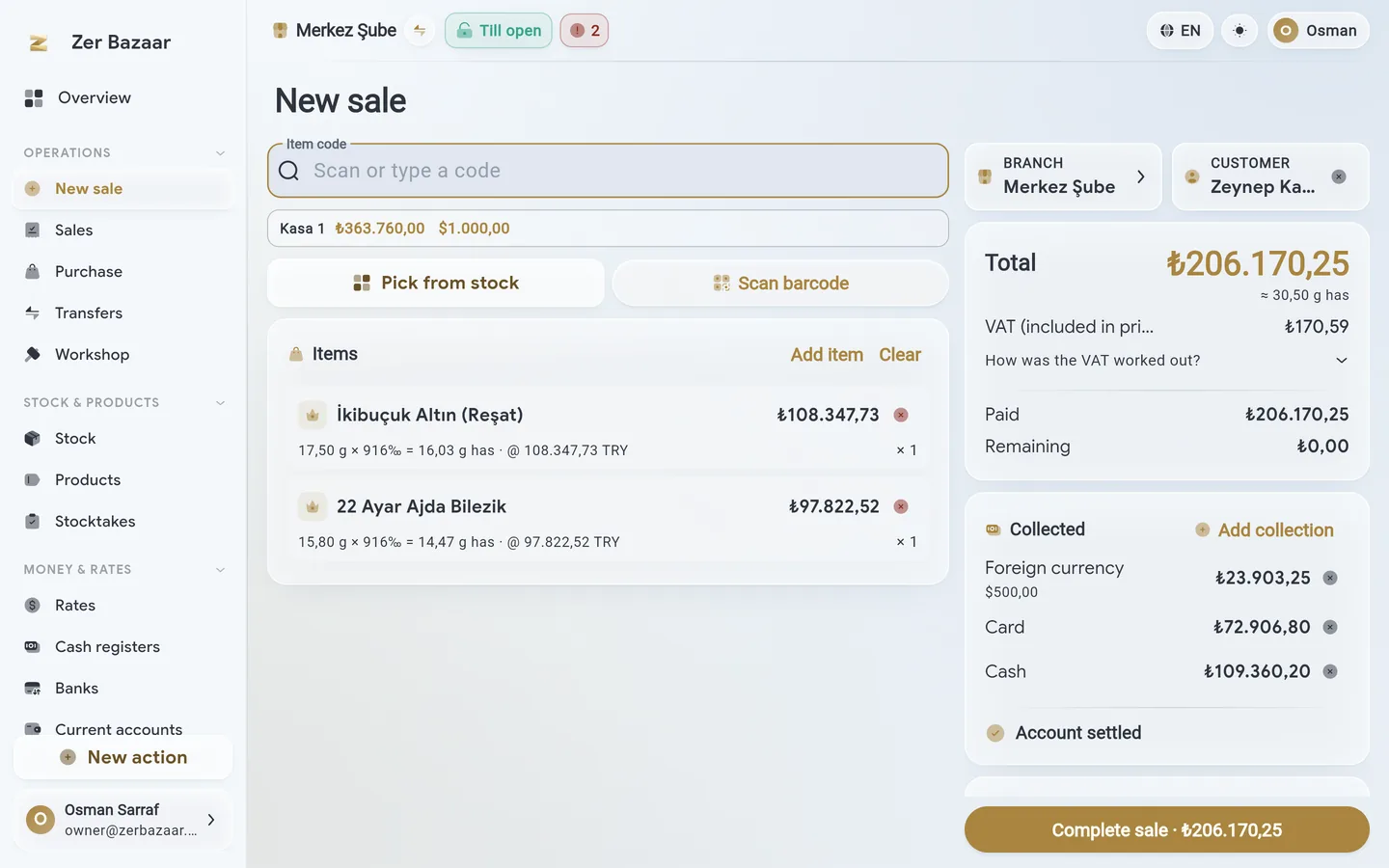
Scan the piece or pick it from stock; its grams, carat and fine-gold equivalent land on the line, and the price is worked out from the rate. Take payment in cash, card, currency and gold, mixed.
- Search by barcode and label; pick from stock; a free line and a bullion line.
- Change in its own currency; a scrap trade-in and posting to the account on the same receipt.
- Discount, labour, a note; printing the receipt and turning it into an e-invoice.
Buy scrap by its purity, and its voucher comes out with it.
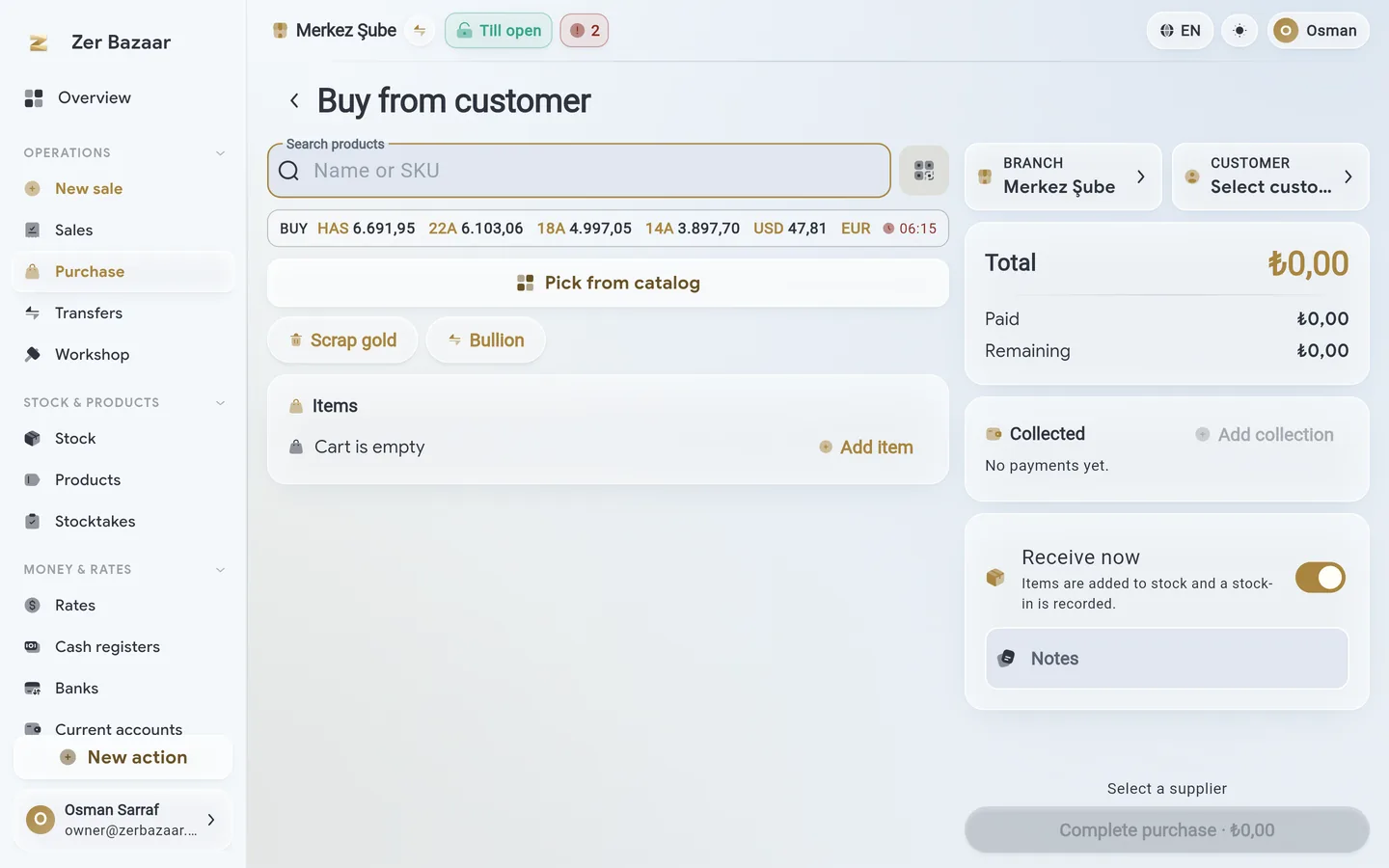
Scrap bought from a customer is recorded by its grams and carat, and its price is worked out from the rate; the expense voucher is issued in one tap.
- Buying scrap from a customer is a separate flow from buying stock from a wholesaler.
- The price is paid in cash or taken off the customer's account.
- Scrap taken in sits apart in stock; it is sent on to the workshop.
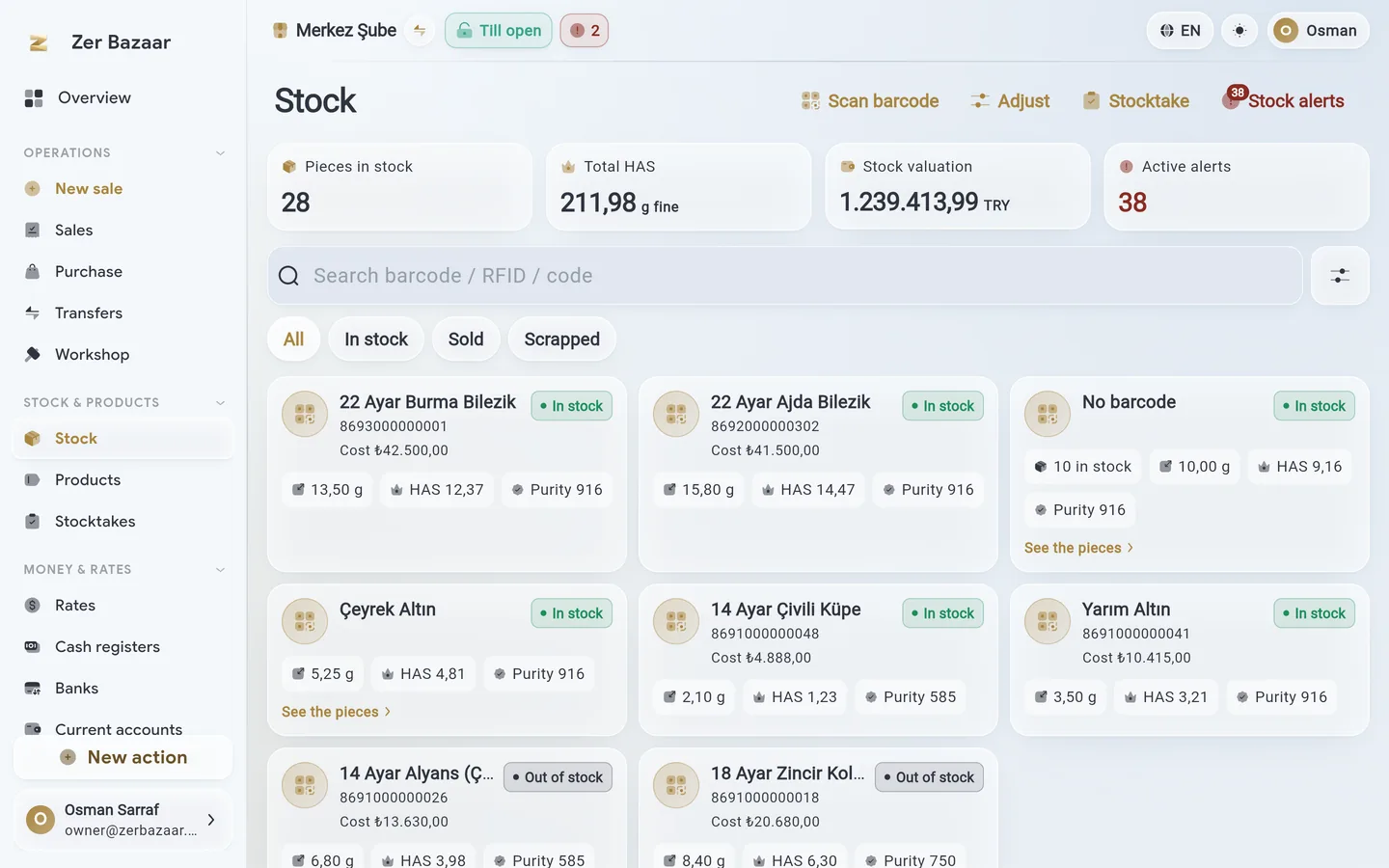
Every piece has its own barcode; a stocktake is one pass.
Single pieces are tracked by barcode, bullion and gram-gold by count. Stock also reads in fine grams; a stocktake variance shows up straight away.
- Product catalogue: carat, grams, stones, cost, supplier.
- Transfers between branches; goods in, corrections and opening stock.
- Stocktake: scan, see what's short or over, and clear the variance.
A debt stays in whatever currency it was born in.
Customer and supplier accounts are kept separately in lira, currency and fine grams; none of them are converted and added into another.
- A gold debt stays in grams and revalues itself as the rate moves.
- 30, 60, 90-day aging; due-date reminders.
- Multi-line settlement and payment; a scrap purchase comes straight off the account.

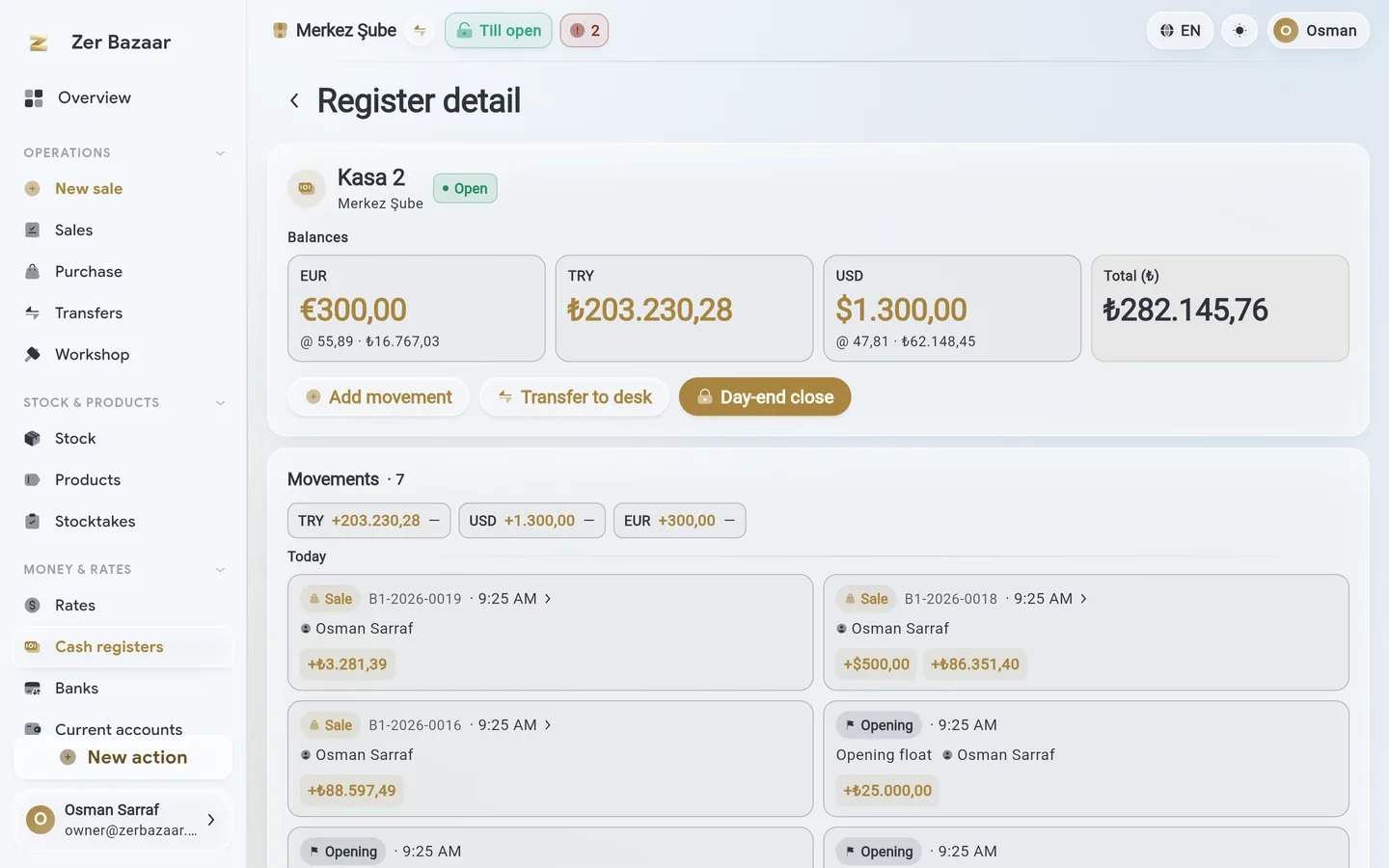
Each till sees only its own cash.
A till keeps a balance per currency; a dollar stays a dollar. Card payments post to their own bank account. At day's end: count, variance and close.
- More than one till per branch; opening, closing and a variance report.
- Transfers from till to bank, branch to branch; with acceptance approval.
- Bank accounts in foreign currency; card and transfer payments go to their account.
Your board runs on your own margin.
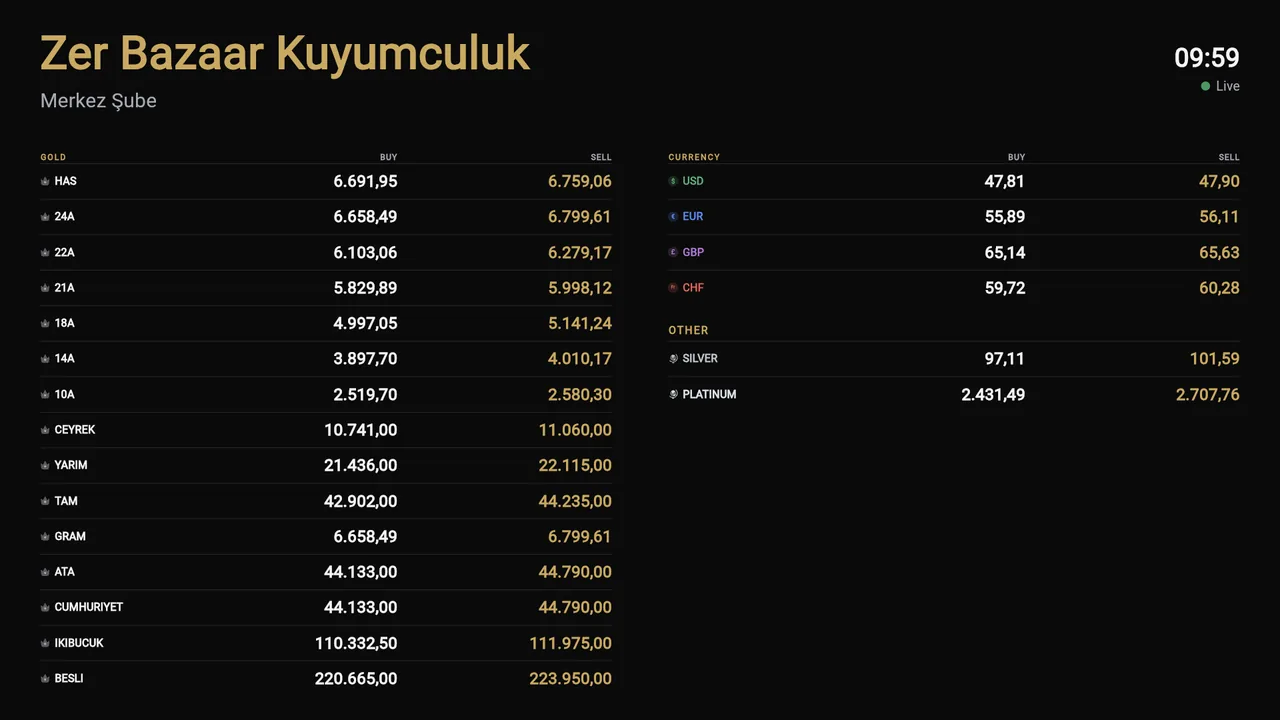
Paired to the television in the window by QR code. Each code is bound to a source: the bazaar, the central bank, a fine-gold calculation or a manual entry; you set the buy and sell margin.
- Define your own purity: 7 carat, 12 carat, tola, a custom bullion.
- Choose which codes show on the board; more than one screen, each set separately.
- Android TV, Apple TV, Fire TV, Samsung, LG and the browser; no separate account needed.
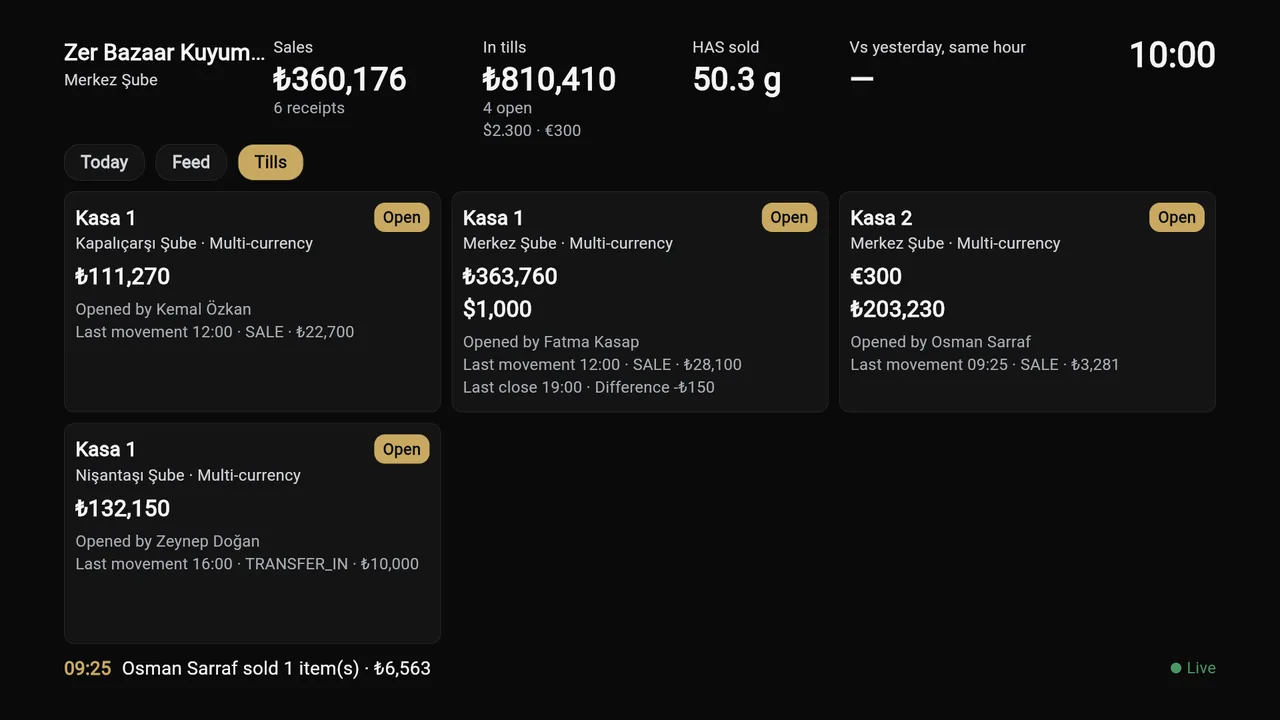
The day on the wall: sales, tills, flow.
The owner's television in the back room. Today's sales branch by branch, the live state of every till, and the flow of what's happening in the shop; three channels in rotation.
- Today: sales, returns, purchases and scrap; a chart by the hour; compared with yesterday.
- Tills: every till's balance, who opened it, the last movement, the last closing variance.
- Flow: who sold what, which till opened, what came back from the workshop.
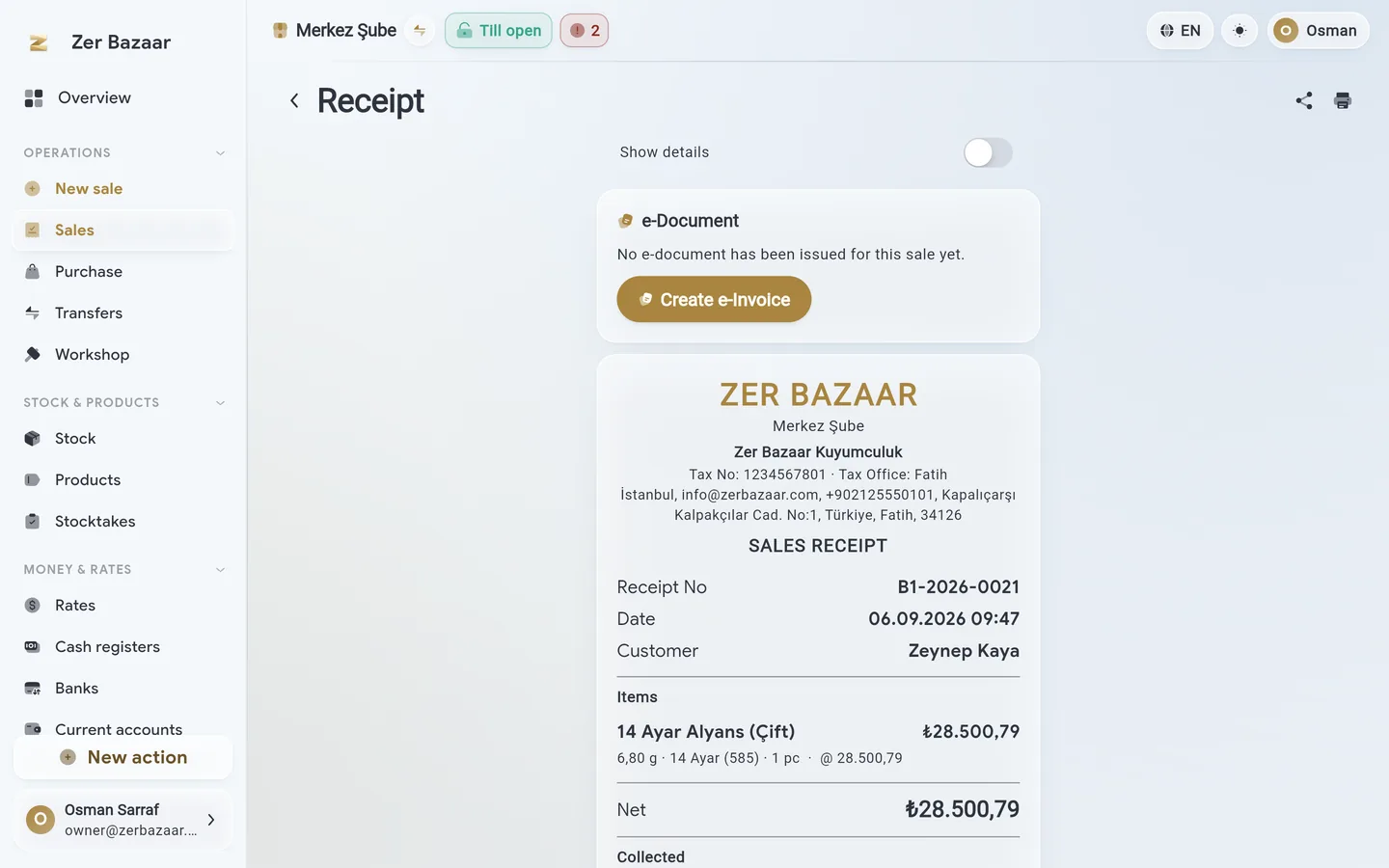
The invoice comes out of the sale in one step.
A receipt turns into an e-Archive invoice or an e-Invoice. VAT codes are picked to match jewellery-trade rules: a special base on worked pieces, an exemption on bullion.
- Special VAT base (KDVK 23/e) and the bullion exemption (17/4-g) apply line by line, automatically.
- An inbox for incoming e-invoices; document status and the GİB response.
- The app checks the invoice threshold and the customer's details.
This switches on for your shop: once the integrator agreement is complete it activates on the same account, with no separate setup.
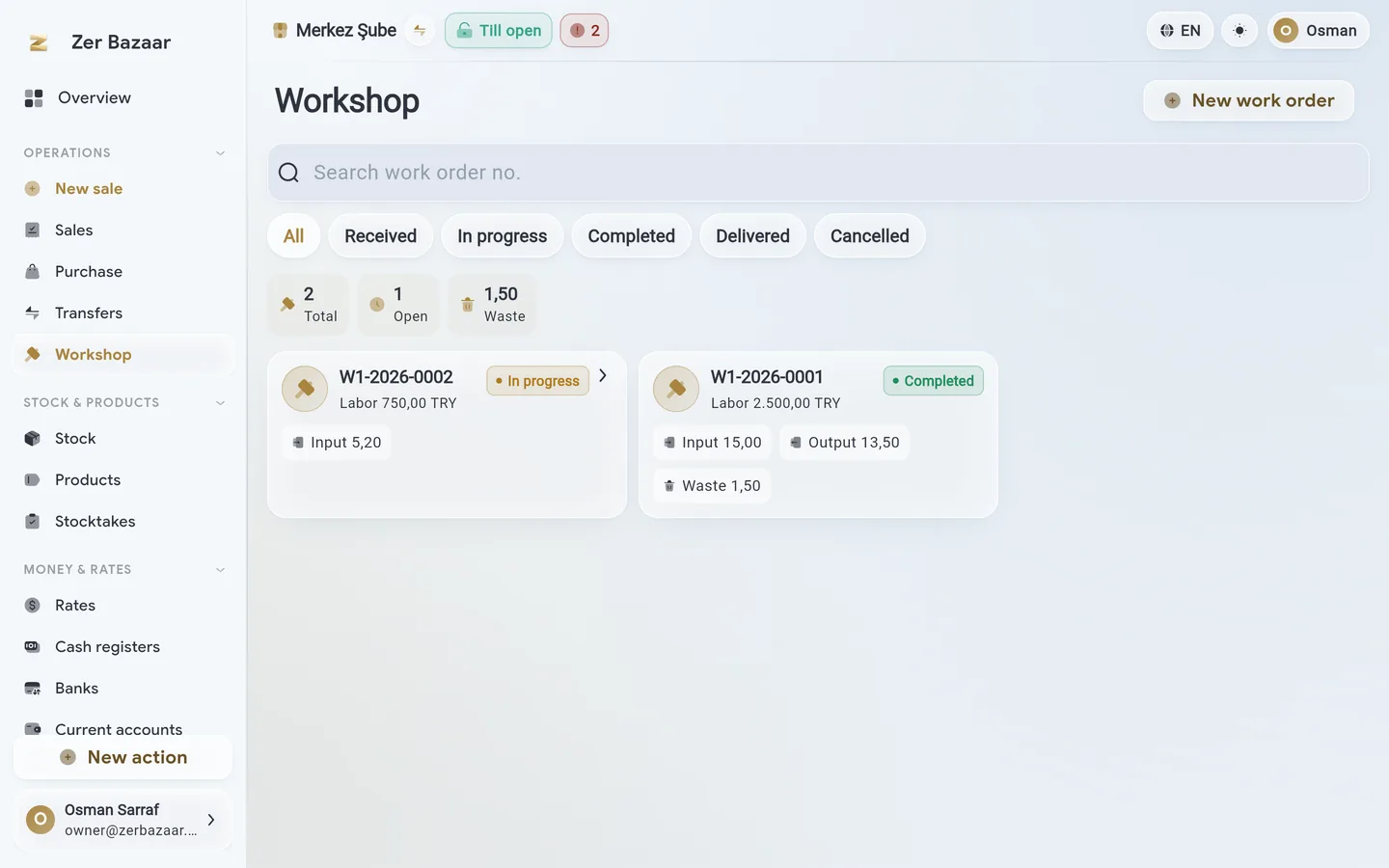
Grams sent to the workshop, grams that come back.
A work order is opened: which piece, how many grams, what labour. The grams that come back are recorded on return; loss and labour stay on the work order.
- Repairs, alterations, production; a work order on a piece or on scrap.
- Loss in grams and as a percentage; labour per gram or per piece.
- Finished work goes back to stock or to the customer.
What you hold, and what it's really worth.
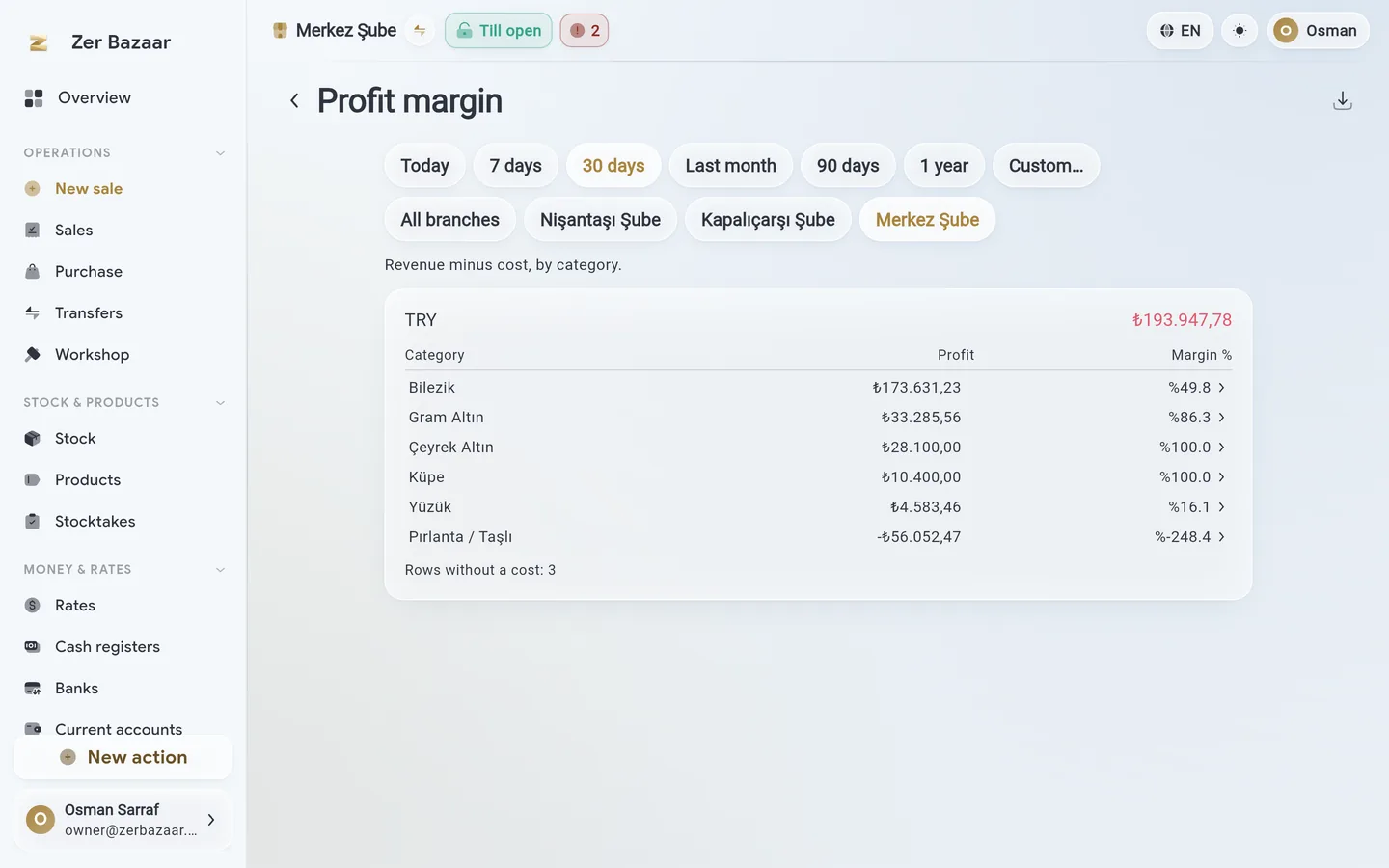
Daily sales, till flow, account aging, profit margin, stock turnover and slow-moving pieces. Every report runs per currency; none of them add currencies together.
- Profit margin: the gap between the sale price and the day's fine-gold value.
- Branch comparison; turnover, margin and the credit share per team.
- Stock breakdown: grams and fine gold by product, carat and branch.
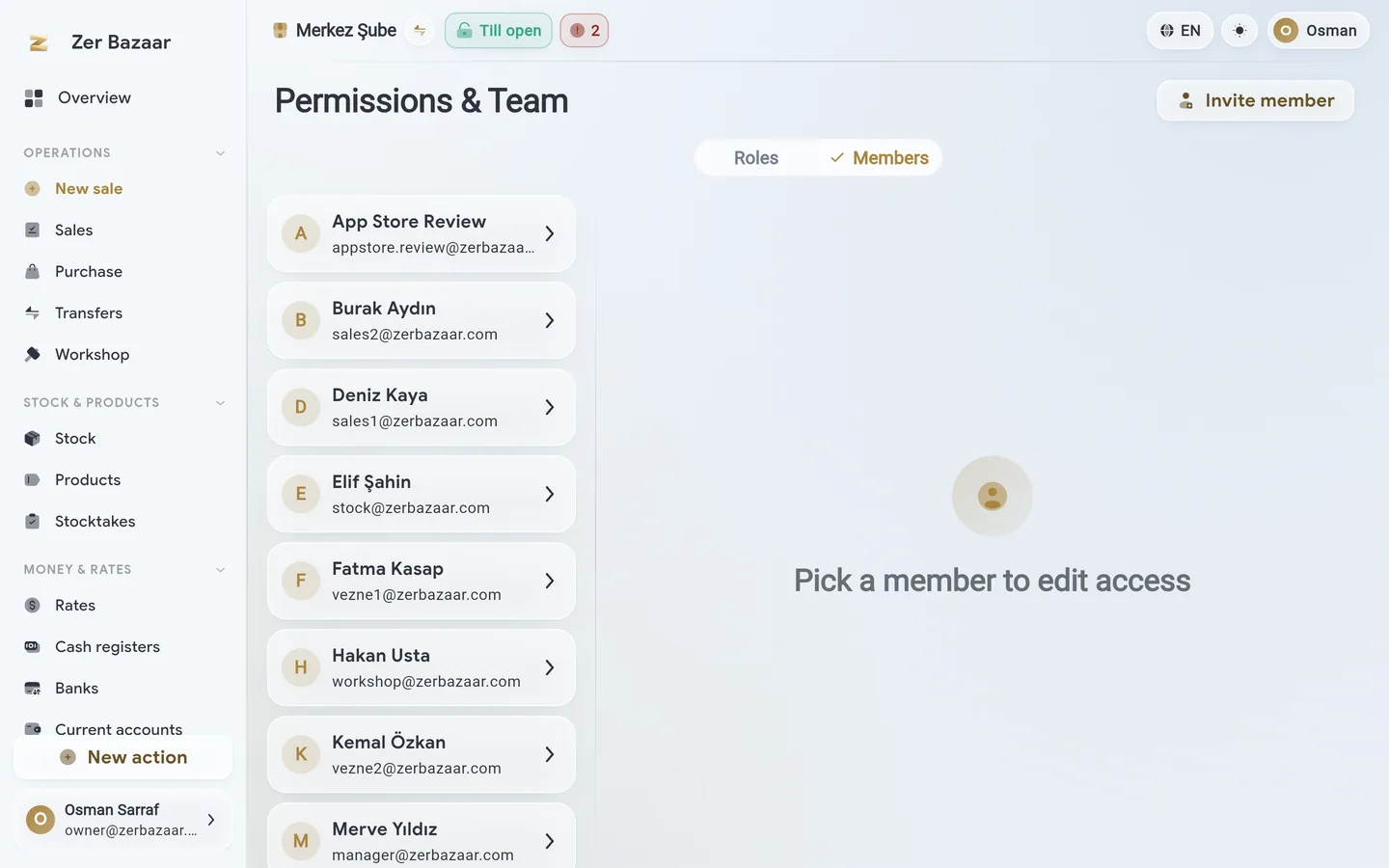
Who sees what is your call.
Roles decide what someone can do; branch and till access decides where. A cashier sees their own till, a salesperson sees their own branch.
- Ready-made roles: owner, sales, cashier, accounting, workshop, stock; the owner copies and edits them.
- Build a team by invitation; access set per branch and per till.
- Multiple branches, multiple shops; switch between them on one account.
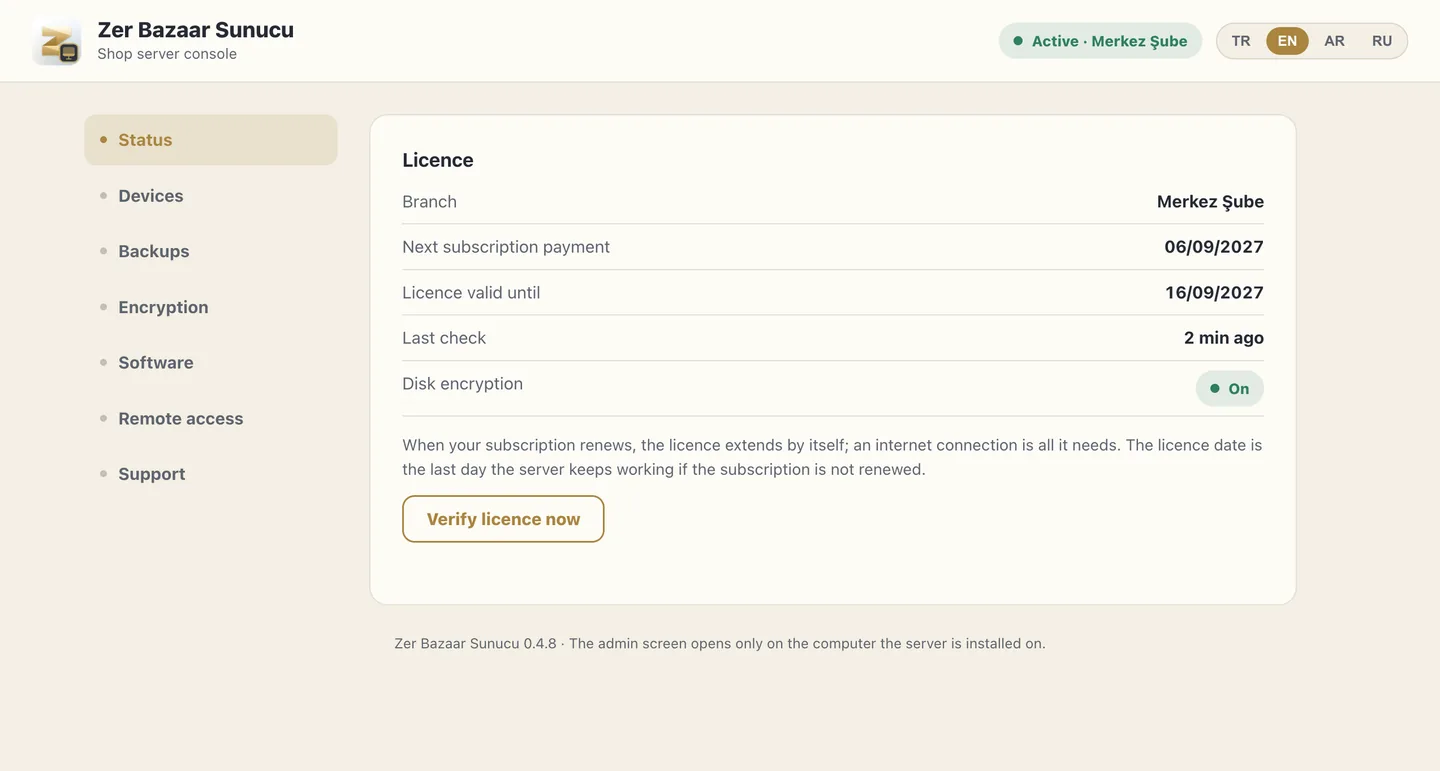
Your data can stay on your own computer too.
The local server is out for Windows, macOS and Linux: it installs on the shop's computer and the app connects to it. The backup destination is yours; it is not kept in our cloud.
- Disk encryption, scheduled backup, self-updating.
- Access from outside the shop is signed and encrypted; permission is set per device.
- KVKK compliance in the cloud too: personal data masked, every access logged.
A ledger, general accounting software, and Zer Bazaar.
| Ledger / Excel | General accounting software | Zer Bazaar | |
|---|---|---|---|
| Grams and carat | Written by hand | Count and unit price | The line itself: grams × carat |
| Fine-gold calculation | With a calculator | Not available | In stock, accounts and reports |
| Foreign-currency till | A separate ledger | Converted into lira | Every currency keeps its own balance |
| Rate board | Not available | Not available | Paired to a television by QR code |
| Special VAT base | Left to the accountant | Picked by hand | Automatic, line by line |
| Multiple branches | Separate ledgers | Usually an extra licence | One account, branch and till access |
| Phone and tablet | Not available | Usually computer only | iPhone, Android, iPad, Mac, Windows, browser |
No competing product is named; the table only counts differences you can go and check for yourself.