Zer Bazaar

Software for jewellers

Grams, purity, fine gold. It works the way a jeweller thinks.

Sales, stock, accounts, tills, workshop and e-invoicing in one app — on the phone, on the computer and on the shop’s television.

No setup fee · No card asked

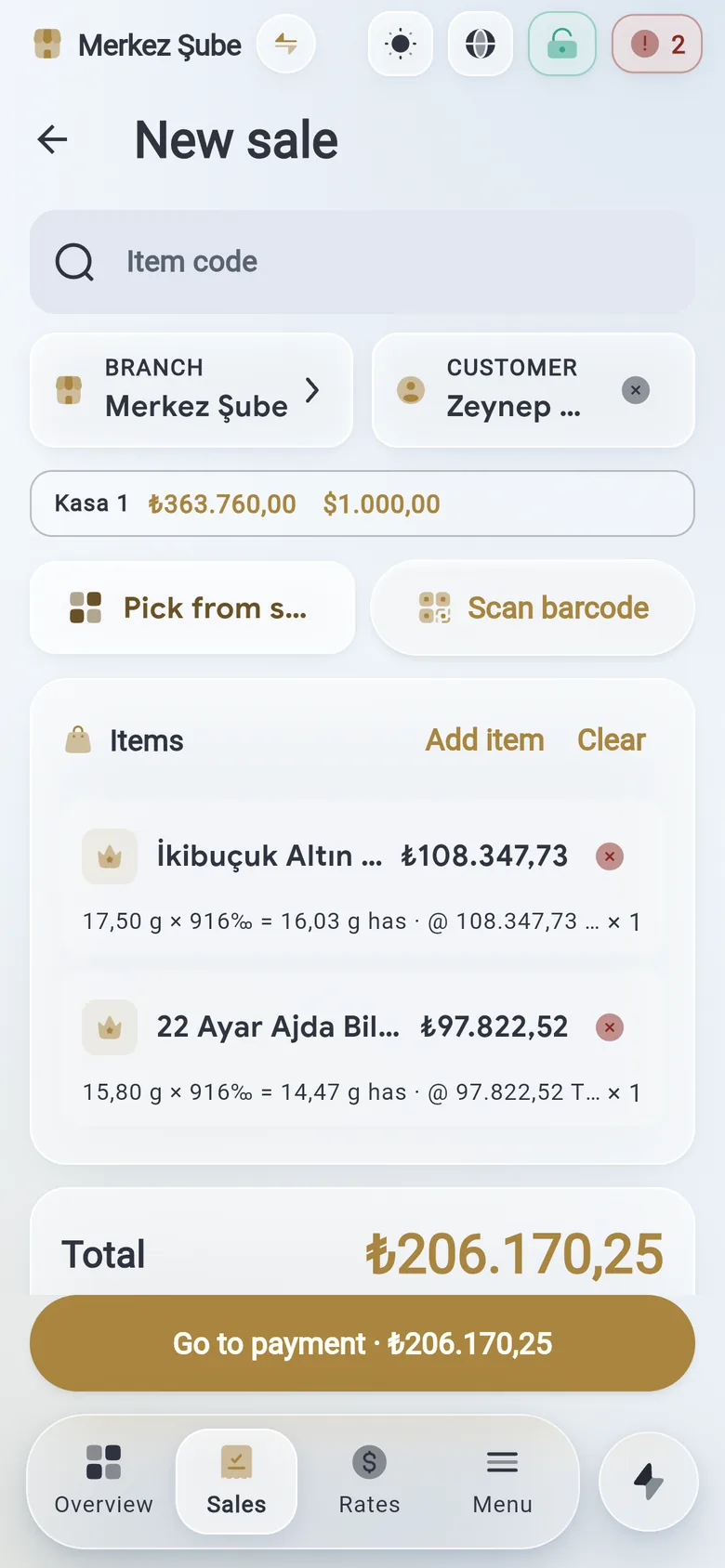
Zer Bazaar sale screen: two bracelets on the line; paid in cash, dollars and card.The same sale on the phone.
A day in the shopFrom the counter to the wall

It starts at the counter in the morning and ends on the wall at night.

Four screens, one jeweller’s day. Every one of them is the app itself, not a drawing.

Counter

Gold is sold by purity, not by a price tag.

Scan the piece: its grams, carat and fine-gold equivalent land on the line, the price comes from today’s rate, and the labour is written separately.

The special VAT base and the bullion exemption apply line by line on their own; the receipt becomes an e-invoice in one tap.
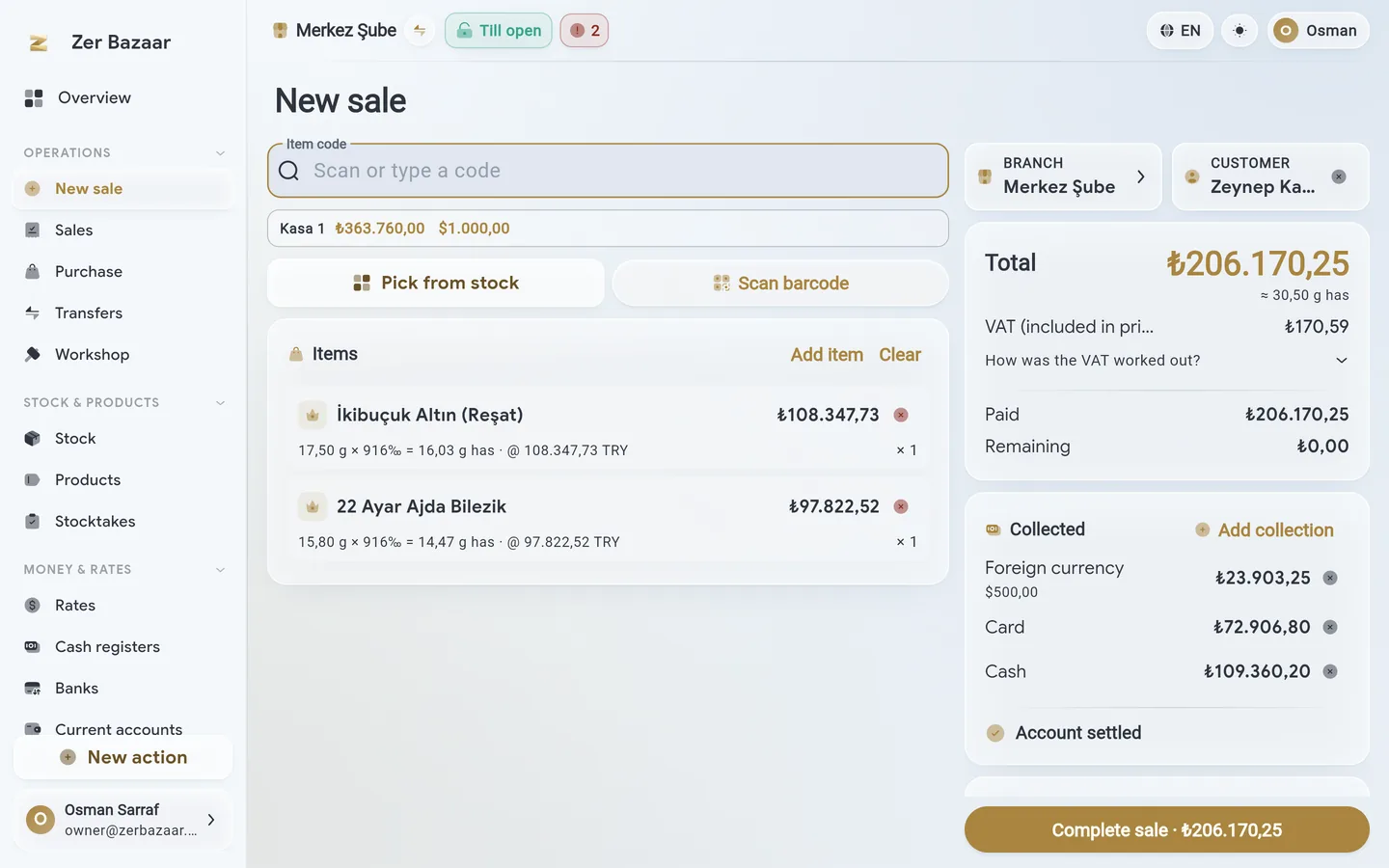
Sale screen: two gold bracelets, a customer, cash and card payment.
Till

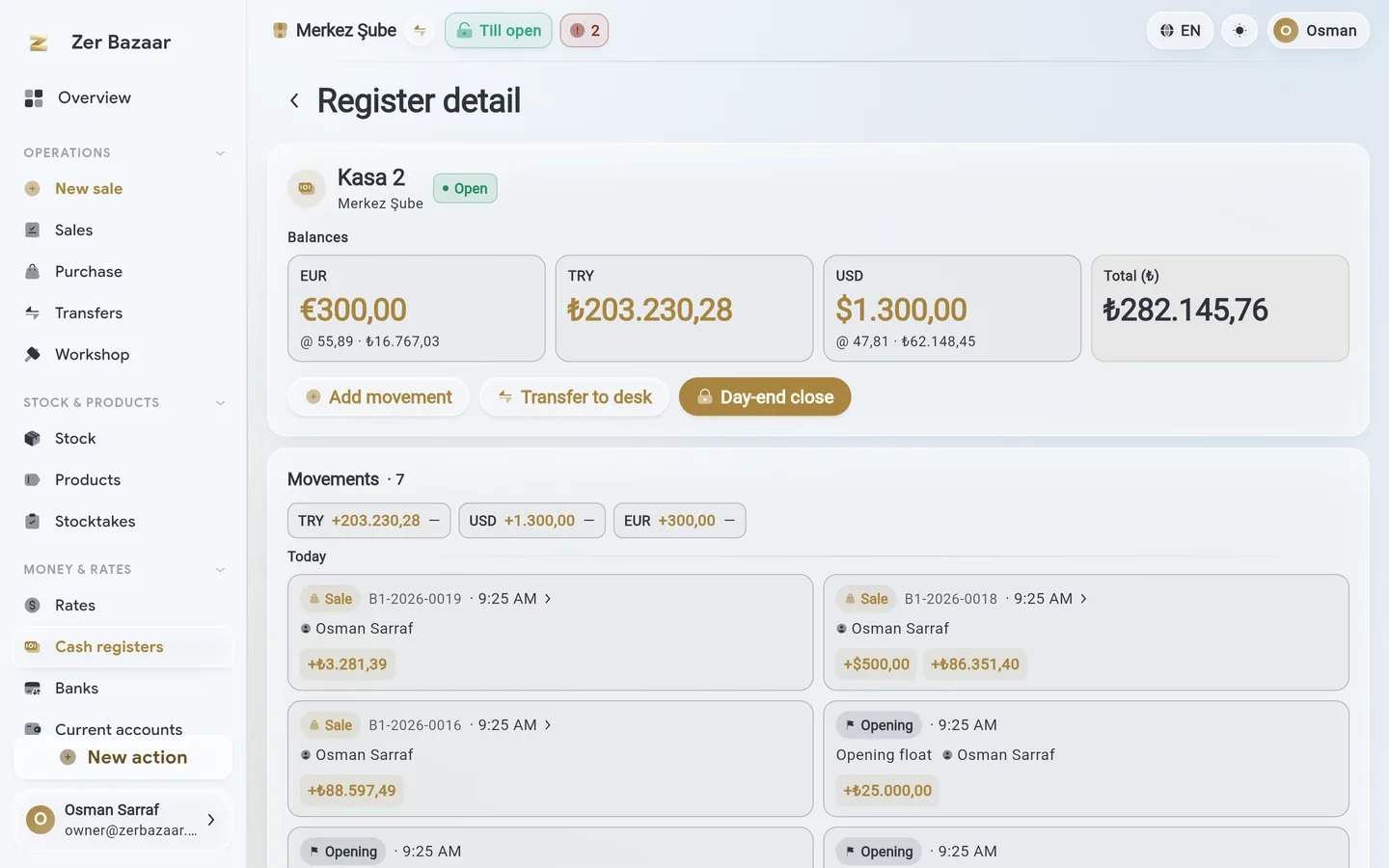
Paid in dollars, change in lira and dollars. The till knows.

Every currency sits in its own till; card payments go to their own bank account. No report ever adds currencies together.

Each cashier sees only their own till; at closing time the count, the variance and the close are one screen.

Till day: lira, dollar and euro balances with the day’s movements.
Accounts

“Owes three grams” is a balance too.

A debt stays in the unit it was born in: lira, euro and fine grams side by side; when the rate moves, the gold debt revalues itself.

30, 60, 90-day aging; multi-line settlement; a scrap purchase comes straight off the customer’s account.

Customer card: lira, euro and fine-gram balances, aging.
Wall

When the shop closes, the day is on the wall.

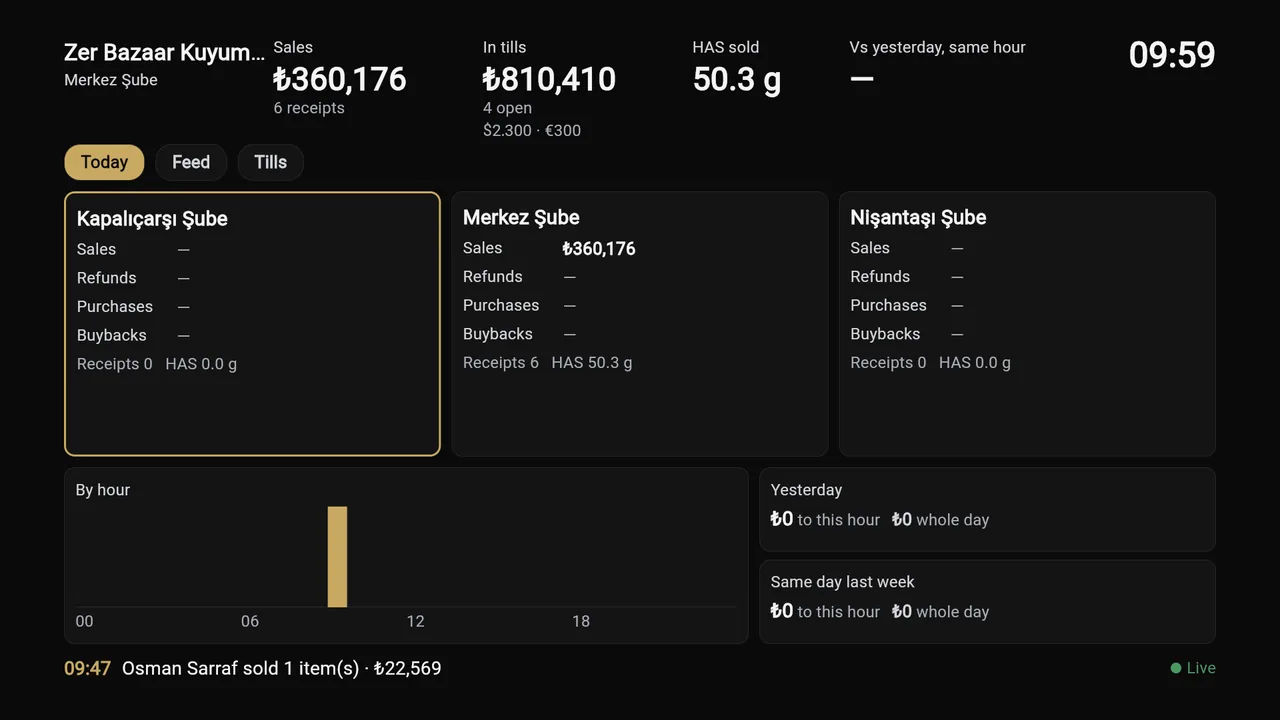
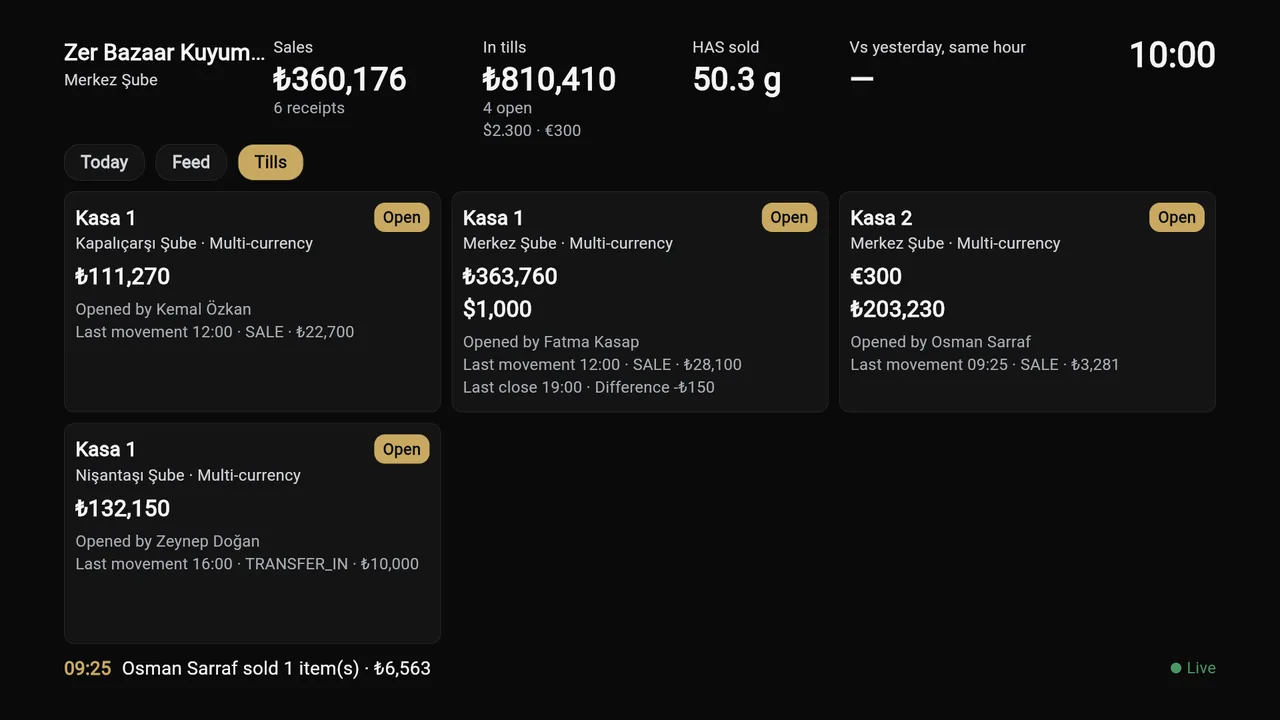
The Office Screen runs on the back-room television: today’s sales, the state of every till, the flow branch by branch.

Paired with the phone; no second account, no second fee. Same account as the rate board in the window.

Office Screen: today’s sales total, tills and latest movements on a television.
Made for the tradeSix things

General accounting software thinks gold is a product.

A jeweller’s stock is in grams, the debts in fine gold, the takings in foreign currency. These are not fields added later — they are the app.

Fine gold and purity

A 22-carat bracelet is multiplied by 0.916; stock, accounts and reports all speak in fine grams.

VAT right on its own

Special base for worked gold (23/e), exemption for bullion (17/4-g). Line by line, with nothing to pick by hand.

Paid in currency or gold

Dollars, euros and gold as payment; change in its own currency. Every till keeps its own balance.

A rate board with your margin

From the bazaar, the central bank or fine gold; you set the buy and sell margins and the board updates itself.

Scrap purchase with its voucher

Buy scrap by its purity, print the expense voucher, and net the value off the customer’s account.

Workshop: loss and labour

Grams sent to the workshop, grams returned, the loss in between and the labour — all on the work order.

Two televisionsWindow and back room

Rates in the window, the day’s summary in the back room.

Both screens pair with the phone; no separate account needed.

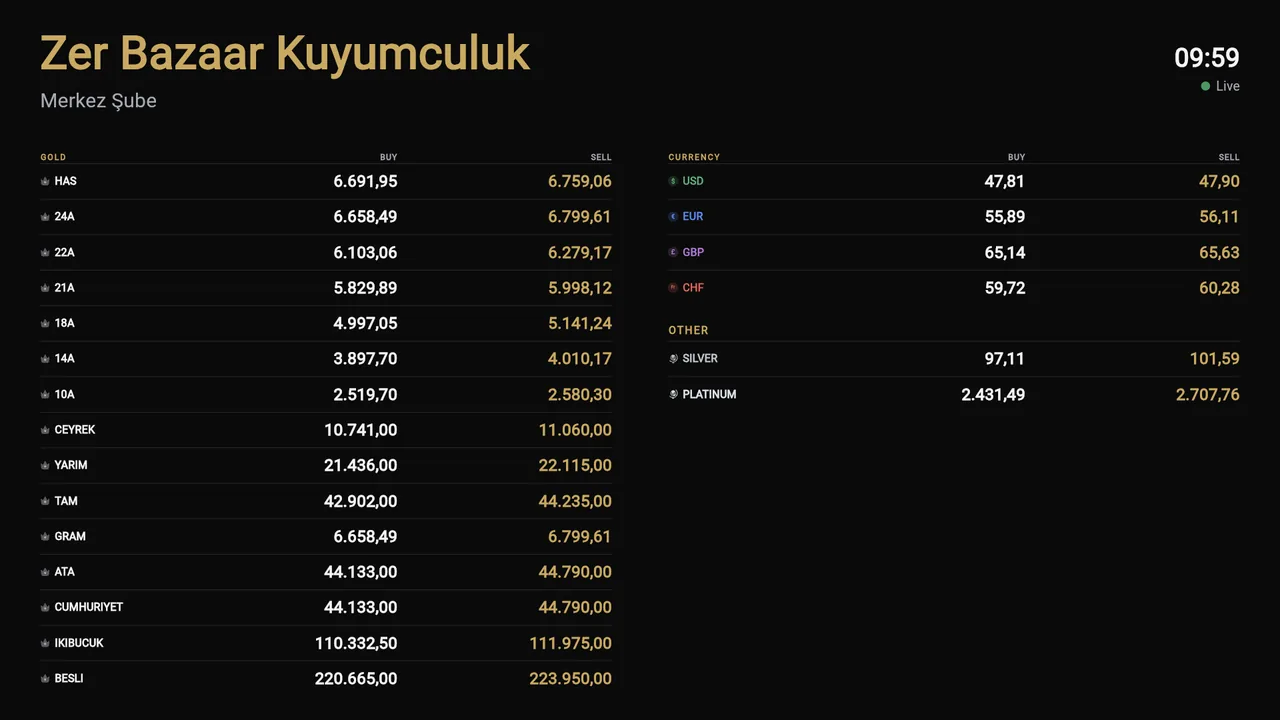
Rate board on a television: gold and currency buy and sell prices.
Rate boardLive buy and sell prices on the window television; you choose the source and the margin.
Office Screen on a television: the state of every till.
Office ScreenThe owner’s screen: today’s sales, the tills and the flow, in rotation.
Your data stays yoursWindows · macOS · Linux

The shop’s data can stay in the shop.

  • The local server installs on your own computer and the app connects to it. Your backup is never kept in our cloud.
  • Access from outside the shop is encrypted and signed; the server updates itself.
  • Branches and permissions live in one account: who sees which branch and which till is your call.
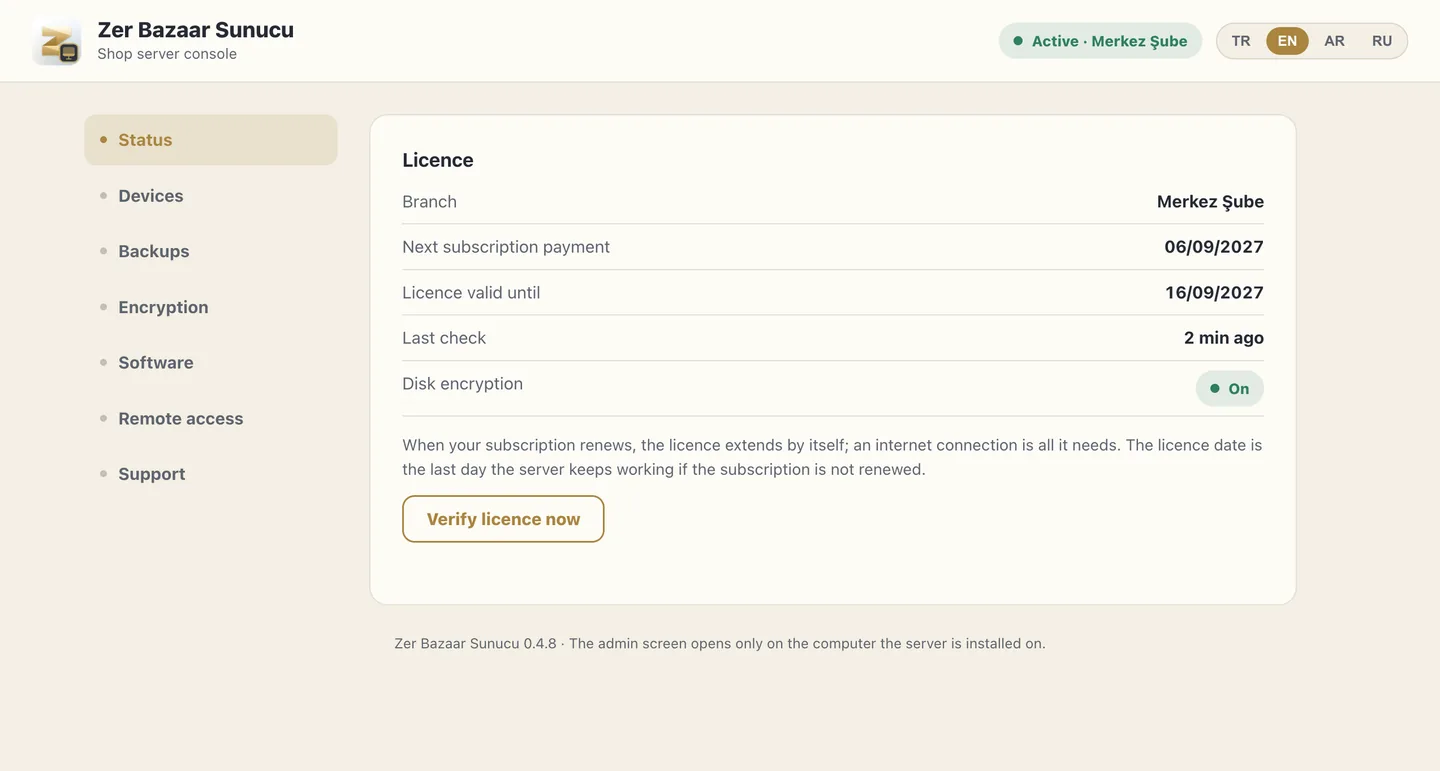
The server’s first day
The local server’s console: licence, disk encryption and status.
Where it opensSix surfaces, one account

At the counter, in the pocket, on the wall.

The same account opens on every surface. The browser needs no install, and iPhone, iPad and Mac are live on the App Store.

Download page
BrowserNo install needediPhone · iPadApp StoreMacApp StoreAndroidGoogle PlayWindowsMicrosoft StoreLinuxSoon
QuestionsThe five a jeweller asks first

Asked and answered.

Where does my data sit?

On our servers, in one account. If you prefer, install the local server on your own computer; it is out for Windows, macOS and Linux.

Can I bring my existing stock list?

Yes. Load it as products, variants and individual inventory items, and track each piece by its own barcode.

Does the rate board cost extra?

No. The board runs on the same account — pair it to the shop TV with a QR code, no second account needed.

Do I need a separate e-invoicing provider?

No. E-invoicing is built into the app; once it is switched on for your shop it turns a receipt into an invoice and picks the tax codes the trade requires.

I have several branches — can I run them from one place?

Yes. Access is granted per branch and per till; each cashier sees their own till, and reports put branches side by side.

PlansMonthly subscription

Three plans, billed monthly at list prices, VAT included; 14-day money-back guarantee.

Your data on your own computer — a server app for Windows, macOS and Linux

Starter

Take your single shop digital in minutes — sales, stock and accounts on one screen, paper-free.

$12/ month · VAT incl.

  • 1 branches
  • 5 users
  • 100 studio credits a month One credit turns a photo you took at the counter into a studio shot: white background, soft light.

In every plan Sales counter · Stock and stocktaking · Current accounts · Cash register and bank · Workshop · Position · Rate board · TV apps · Four languages

Get started

Medium

For growing jewelers — multi-branch sales, team and accounts unified in one panel.

$24/ month · VAT incl.

Everything in the previous plan, plus:

  • 2 branches
  • 9 users
  • 200 studio credits a month One credit turns a photo you took at the counter into a studio shot: white background, soft light.
Get started

14-day money-back guarantee

Prices last updated on 1 April 2026.

Getting started

Move the shop across in an afternoon.

Upload your stock list, bind your rates, invite your team. No setup fee and no annual commitment — you pay by the month and stop any month you like.

Start free
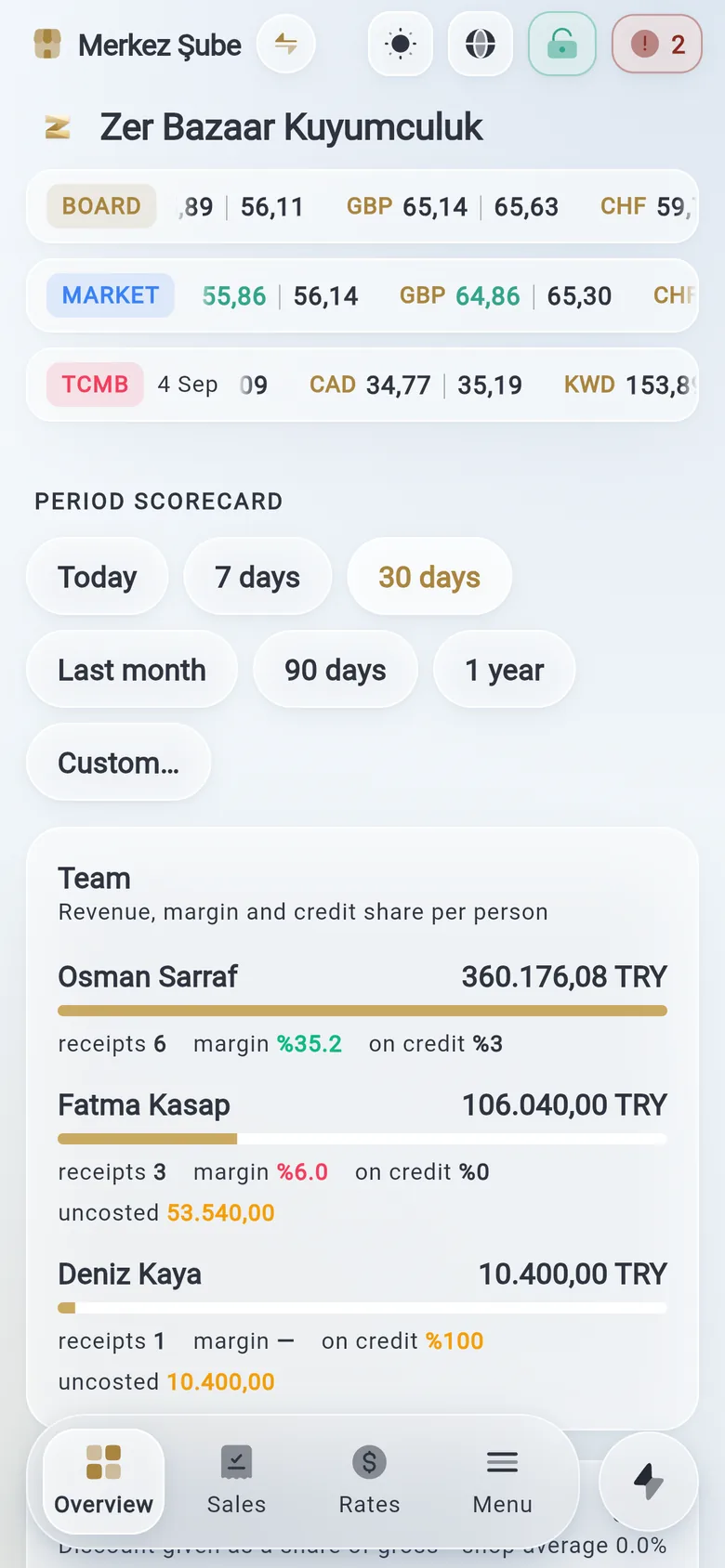
The overview screen on a phone.